How a 20-Second Faceless YouTube Short Reached 80 Million Views and Made $8,000 (Step-by-Step Blueprint)
One 20-second YouTube Short pulled almost 80 million views and made me over $8,000 from a single upload.
The craziest part? It took me around 45 minutes to make, and I never showed my face.
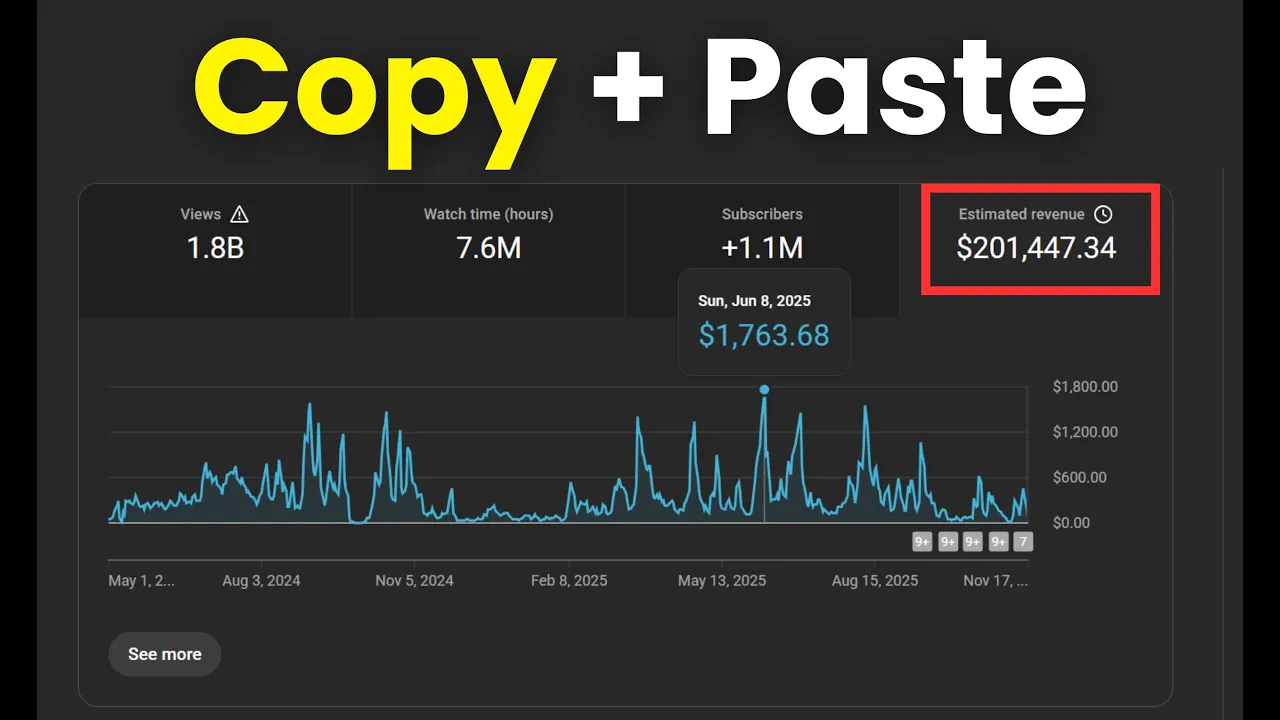
That wasn’t luck. I’ve posted almost a thousand Shorts so far, and together they’ve generated nearly
2 billion views. In this guide, I’ll show you exactly how you can copy this approach and start creating
viral commentary YouTube Shorts that can begin earning money for you in the next few days.
You don’t need advanced editing skills, expensive gear, or a big audience. Everything you’ll see here can be done using
free tools. If you follow this till the end, you’ll know how to consistently create viral YouTube Shorts.What This Faceless YouTube Shorts Business Model Really Is
This business model is ridiculously simple. Creators like FitFix or Jill Anderson have made
hundreds of thousands—if not millions—just by transforming already-viral content.
The formula looks like this:
- Find a video that already went viral on TikTok, Instagram, or YouTube
- Add your own commentary, voice-over, captions, and background music
- Optimize it specifically for the YouTube Shorts algorithm
That’s it. It works because you’re using content with proven demand.
If a video already has millions of views on TikTok, there’s no reason it can’t go viral again on YouTube Shorts.
This is not about stealing content. It’s about transforming and optimizing it so the algorithm can push it again.
Step 1: Find Proof of Concept (This Part Is Critical)
Proof of concept simply means finding channels where this formula already works—consistently.
Here’s how to do it:
- Open YouTube in an incognito tab or create a fresh account
- Go to the YouTube Shorts feed
- Start scrolling until you find a faceless Shorts video
- Watch it fully, like it, comment, and share it
This trains the algorithm to show you more of these videos. When you find something interesting, click on the channel and
analyze their recent uploads.
If a channel only has one lucky viral video and the rest are stuck at 10–20K views, skip it.
You’re looking for channels where almost every Short hits hundreds of thousands or millions of views.
Study one or two of these channels deeply. Ask yourself:
- What happens in the first 2–3 seconds?
- What emotion makes people stop scrolling?
- What music or sound effects are used?
- Where do they add zoom-ins, arrows, or highlights?
Spend at least 15–20 minutes daily analyzing Shorts like this. Over time, you’ll train your eye to spot viral patterns.
Step 2: Understand the Two Types of Commentary Shorts
After uploading hundreds of Shorts, I realized there are two main types in the commentary niche.
1. Emotion-Driven Clips
These are usually 12–15 seconds long. They don’t tell a full story.
Instead, they trigger a strong emotion instantly—fear, shock, excitement, or curiosity.
The commentary simply explains what’s happening on screen. The goal is to make viewers replay the clip just to feel that emotion again.
2. Storytelling Clips
These have a clear beginning, middle, and end.
You guide the viewer through the story and reveal the outcome in the final seconds.
The story doesn’t have to be 100% real—it just needs to feel believable enough to keep people watching until the payoff.
Key difference:
Emotion-driven clips hook people visually.
Storytelling clips hook people through audio and tension.
Step 3: Write the Commentary (Simple Formula)
I follow the same structure every time:
- Hook (first 3 seconds) – stop the scroll
- Explanation – what’s happening or what to expect
- Outcome – reveal the result and end immediately
The biggest mistake people make is dragging the video after the outcome is revealed.
Once the payoff happens, end the video instantly. No outro. No explanation.
Keep sentences short and simple. After writing the script, you can polish it using AI tools like
ChatGPT, especially if English isn’t your first language.
For voice-overs, I recommend ElevenLabs for clean, natural-sounding AI voices.
Step 4: Edit for Retention (No Expensive Software Needed)
You don’t need Premiere Pro or After Effects.
CapCut or
DaVinci Resolve is more than enough.
Key editing rules:
- The very first frame must show action
- Add subtle zoom-ins and zoom-outs every few seconds
- Use background music that fits the vibe (not too loud)
- Add sound effects at the beginning to improve swipe rate
- Use bold, readable captions (max 2–3 words on screen)
Always aim for at least 12 seconds. Shorts under 12 seconds almost never go viral.
Step 5: Upload & Optimize Your YouTube Short
Don’t overthink the title. Just make it interesting and add #shorts at the end.
In the description:
- Add 1–2 lines explaining the video
- Credit the original creator
- Use 3–5 hashtags (#shorts, #viral, plus niche-related tags)
Post once per day for at least 30 days. In the beginning, quantity matters more than perfection.
Step 6: Understand Analytics That Actually Matter
Stop refreshing YouTube Studio all day. Focus on two metrics:
- Swipe rate: Aim for around 80%
- Average view duration: The higher, the better
If swipe rate is low, rework your hook or topic. When something works, double down and upload more of that style.
Once you hit 10 million engaged views, your channel gets monetized—and that’s when things get serious.
Final Recap
- Find proof of concept
- Copy what already works
- Choose emotion or story-based clips
- Write short, engaging commentary
- Edit for retention
- Upload daily and analyze results
Repeat this process for 30 days, and you can realistically start earning your first few hundred—or even thousands—from YouTube Shorts.
If you have questions, you can join my free Discord (link in the video description).
I hope this helped, and I’ll see you in the next one.
💰 Want to Make Money Online?
Join our WhatsApp Channel for proven tips on side hustles, passive income, affiliate marketing, and more!
🚀 Join Now & Start Earning!